Save recipes on iPhone
Follow Step 1 and Step 2 below. iPhone only for now.
Step 1
Add Palatte to your Share sheet
Do this once. After that, Palatte stays on your Share sheet (green ring with a spoon).
- Install Palatte on this iPhone and sign in at least once. Get the app if you need it.
- In Safari, open any recipe page and tap Share.
- Swipe the app icon row left. Tap More if you don’t see Palatte.
- Turn Palatte on and drag it to the top of Favorites. Tap Done.

Step 2
Save from your app
Choose where you found the recipe, then follow the steps.
-
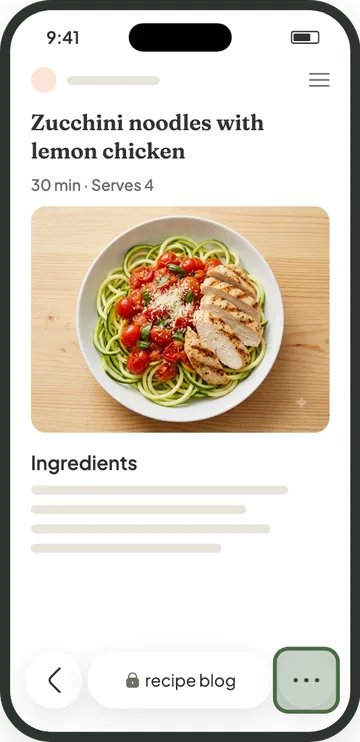
Tap ⋯ next to the address bar
You found a recipe you want to keep. Start with the menu at the bottom.
-
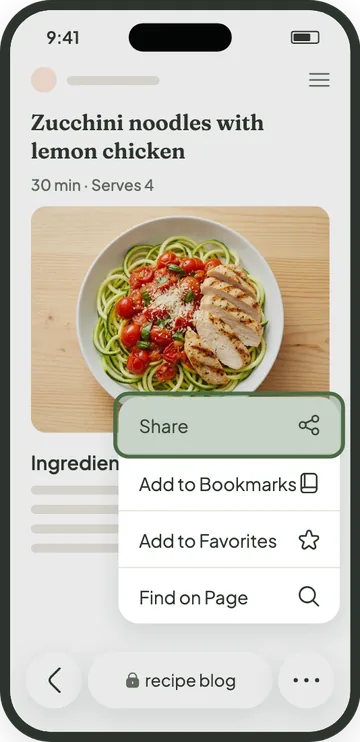
Tap Share
This opens your iPhone’s share sheet.
-
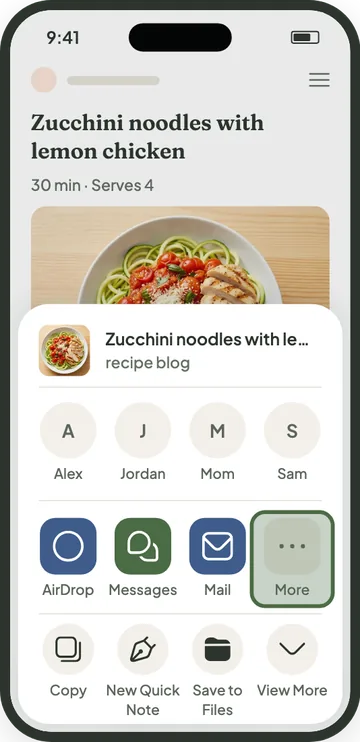
Tap More
The first time, Palatte is tucked away at the end of the app row.
-
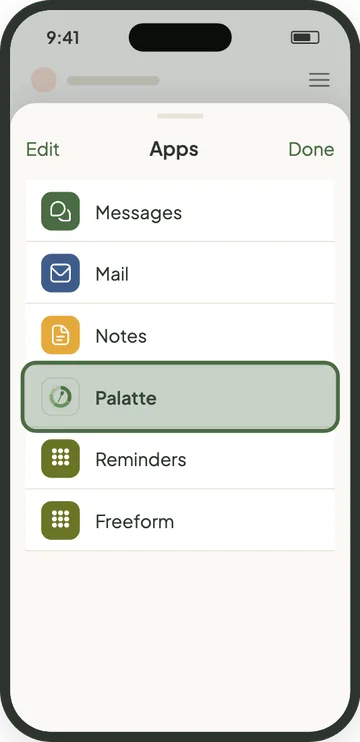
Tap Palatte
After this, Palatte shows up right in the app row.
-
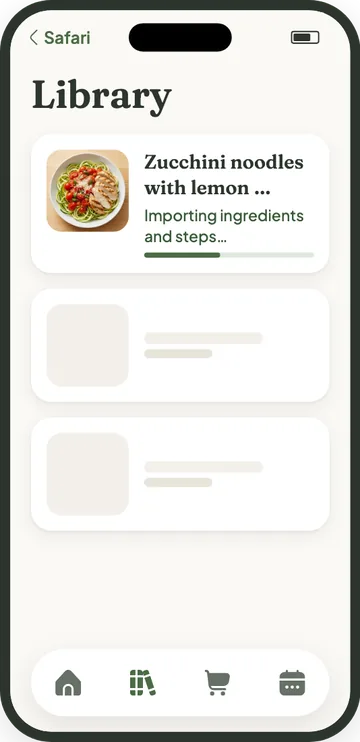
Palatte takes it from here
It pulls out the ingredients and steps in the background. Tap ◀ Safari to keep reading.
Websites usually skip straight to Apple’s Share sheet — no extra menu.
-
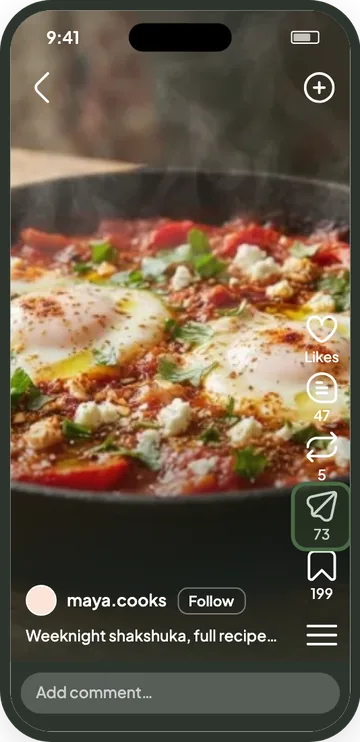
Tap the paper plane
Spotted a recipe in a reel or post? It’s down the right side, under the comments.
-
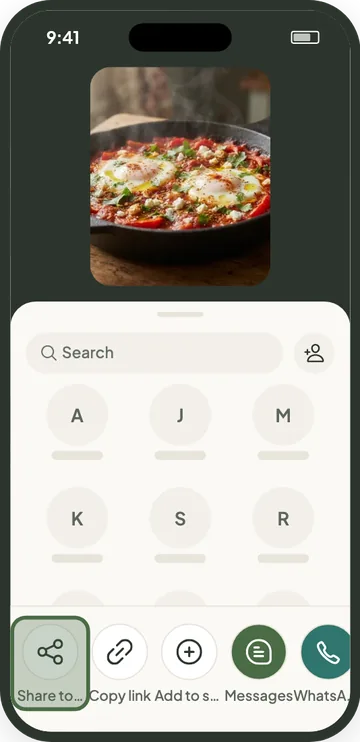
Tap Share to…
Instagram’s own sheet comes first. Share to…, first in the bottom row, opens the iPhone one.
-
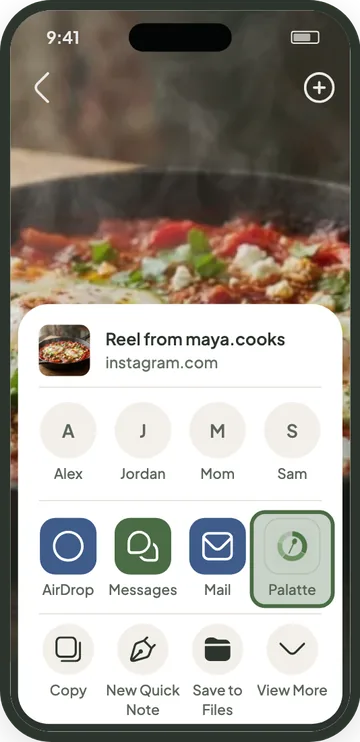
Tap Palatte
Not in the row? Tap More at the end of the apps, like in Safari.
-
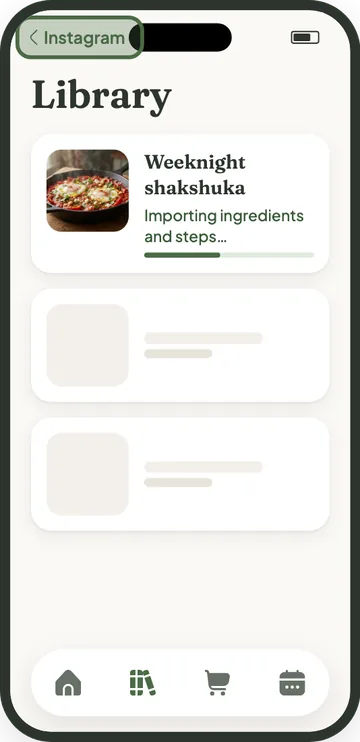
Tap ◀ Instagram, top left
Straight back to your feed while the recipe imports.
-
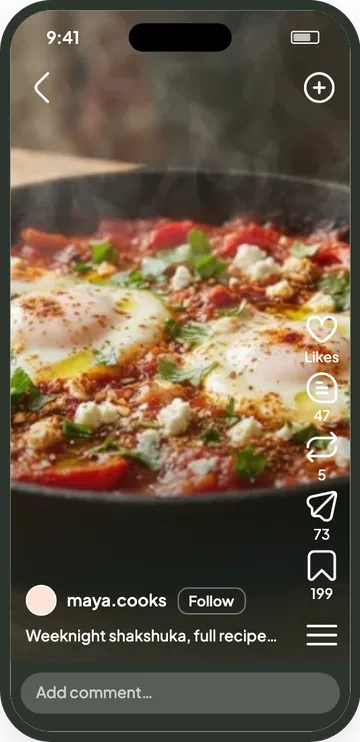
Back to scrolling
The recipe will be in your library, ingredients and steps included.
Share the post that has the recipe. Caption-only posts may import poorly.
- Open the recipe video.
- Tap the Share arrow on the right.
- Tap More (or the option that shows your other apps).
- Tap Palatte.
Only see Copy link? Paste it in Palatte with Add from link instead.

-
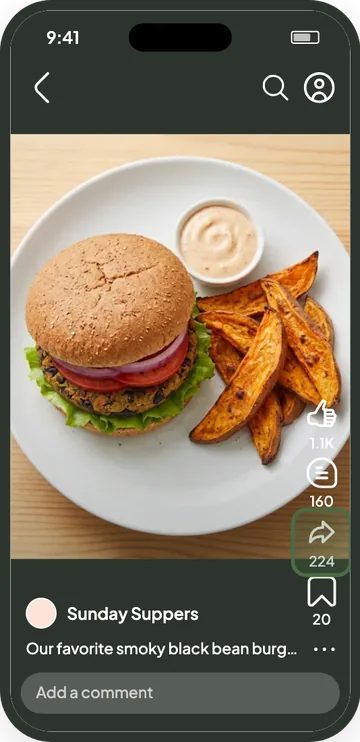
Tap the share arrow
Found a recipe in a post or a group? Open the photo. Share is down the right side.
-
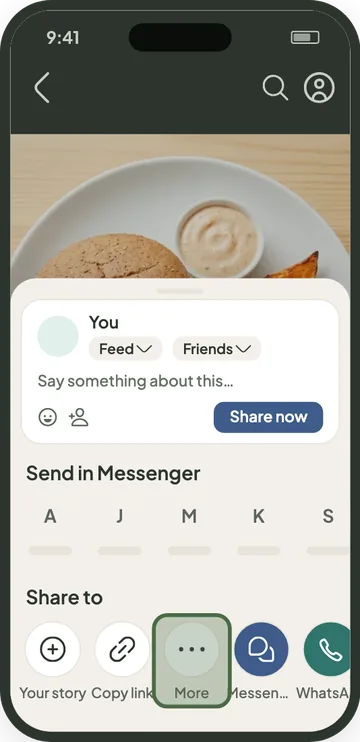
Tap More
Facebook’s own sheet comes first. More, in the Share to row, opens the iPhone one.
-
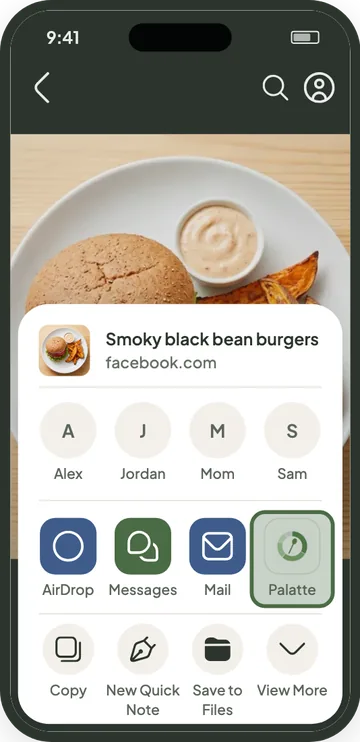
Tap Palatte
Not in the row? Tap More at the end of the apps, like in Safari.
-
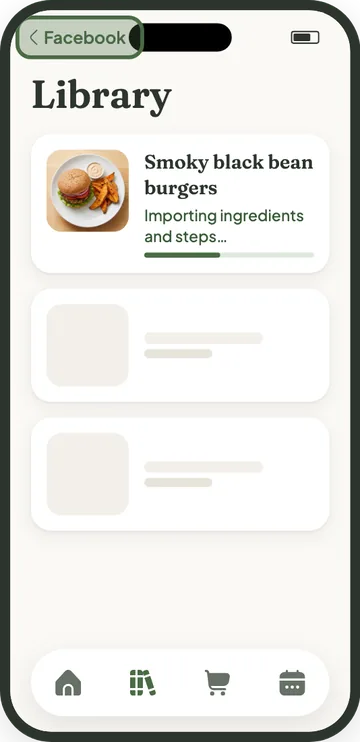
Tap ◀ Facebook, top left
Straight back to your feed while the recipe imports.
-
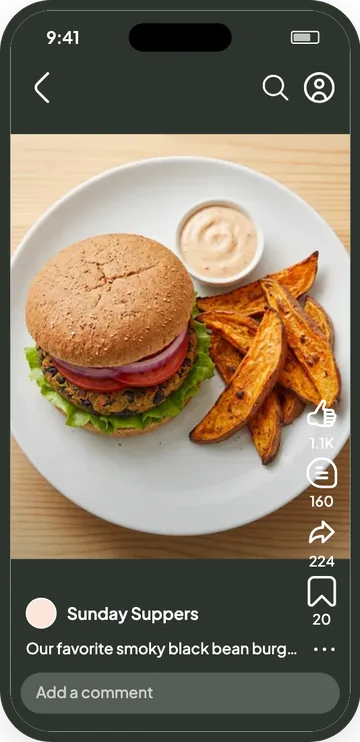
Back to scrolling
The recipe will be in your library, ingredients and steps included.
Works the same for Pages, Groups, and public videos.
- Open the recipe video.
- Tap Share under the title.
- Tap More to open Apple’s Share sheet.
- Tap Palatte.
Palatte uses the video link — you don’t need to download the file.

Something not working?
Don’t see Palatte? Repeat setup above, update the app and iOS, then try Share from Safari on a simple recipe page.
Tapped Palatte but nothing happened? Wait a few seconds, check your connection, then open Palatte — the recipe may already be there.
Recipe looks wrong? Some recipes live only in the video. You can edit after import, or use Add from link in the app.
iPad or Android? This guide is for iPhone; other platforms work differently.
Common questions
- Do I set this up again after an update?
- Usually no. If iOS resets Share favorites, repeat the one-time setup.
- Does Palatte see my private messages?
- No. iOS only sends what you share — typically a link to that post or page.
- Can I share a photo of a recipe?
- Links work best. Share from the original post or webpage when you can.
Try it now
Open a recipe, tap Share, then Palatte.
Get Palatte